Frequently Asked Questions
How do I get AUGUR credentials for the RAIM check?
The RAIM check asks EUROCONTROL's AUGUR service for GPS/RAIM outages at your destinations and alternates. It needs your own free AUGUR API account — a normal visit to the AUGUR website is not enough.
-
Open augur.eurocontrol.int → Connectivity → API service.

Screenshot of augur.eurocontrol.int, taken 2026-10-08.
-
Scroll to the very bottom of that page. Under API Registration, enter your email address, accept the privacy statement and click Register. (The Notification service form on the same page is something else and does not give you API access.)
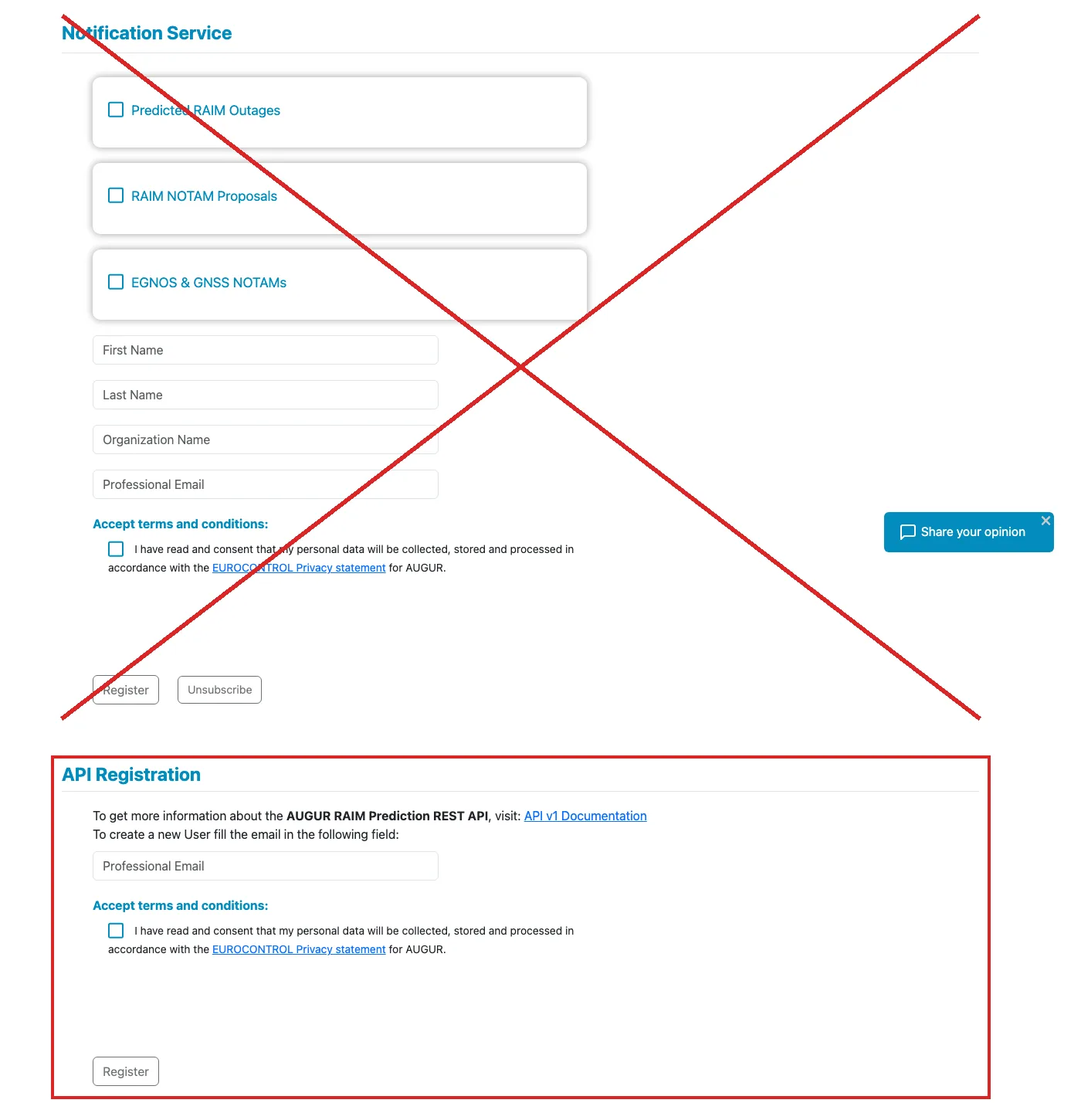
Screenshot of augur.eurocontrol.int, taken 2026-10-08.
-
Wait for AUGUR's email with your login details (check your spam folder too).
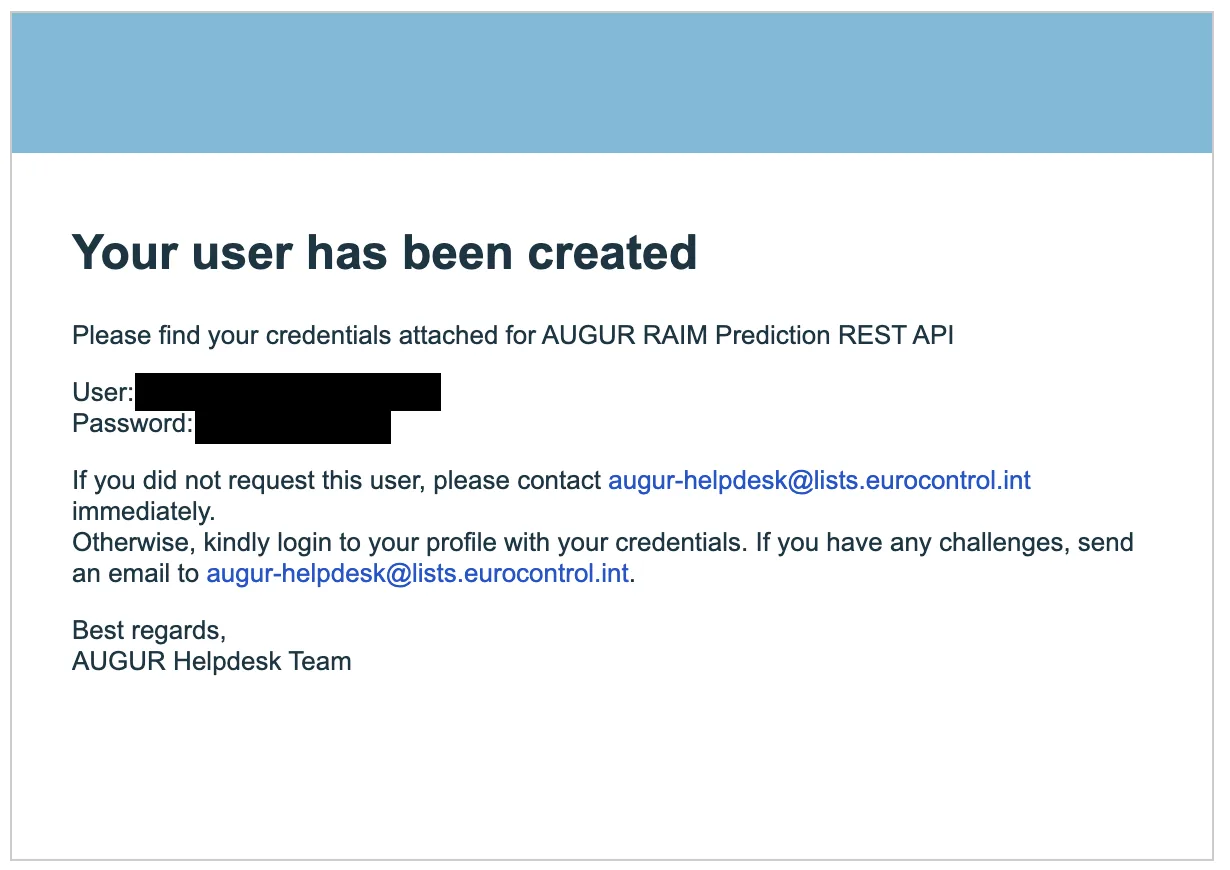
Screenshot of AUGUR's e-mail.
-
In Briefingsheet, go to Settings → Augur RAIM and enter that email and password, then save.
Without AUGUR credentials the RAIM check is simply skipped — everything else works as usual.
Why does every user need their own AUGUR account?
AUGUR grants API access per person. In its answer of 7 October 2026, EUROCONTROL said it prefers every user to register individually through API Registration, so that each request can be traced to a person. A shared access for all Briefingsheet users is still being looked at on their side; until then, each user registers individually — it takes two minutes and is free.
Anything else? Please contact us.